Web Components & the Future of CSS
Philip Walton, SFHTML5 40:02
transcript
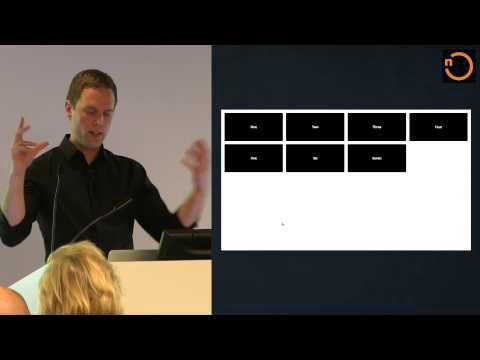
[Music] So today we're going to talk about web components and CSS and while I while I was standing over there I was a little bit curious because there's like two buzzwords here and I just am curious about what the audience thinks and so you can only pick one if you're more excited to hear about web components in this talk uh raise your hand and if you're more excited to hear about CSS raise your hand okay that was a little bit more even than I was expecting um so I I've been writing CSS pretty much since I was born and it's it's been hard it's been sometimes it's been it's been really fun and it was how I got into web development and um when I first heard about web components a couple years ago kind of a light went on my head and it was immediately obvious how this was going to make writing CSS so much better and since I've you know been following the development of web components I haven't really heard very many people talking about this so I kind of figured you know I think this is going to be really revolutionary and somebody should say something so I decided that somebody should be me so some quick disclaimers about this talk um I have a lot to talk about and every web components talk I've ever been to has spent half the time explaining what web components is uh so I'm not going to spend a lot of time talking about web components I hope that's okay if it's not sorry about that um I also this talk is not intended to be a a how-to guide or a tutorial um when I first heard of web components I said kind of a light went on my head and I kind of want this talk to be more about some of those things that I was thinking about just some of the the ways that I think web components will completely change how we write CSS for the better in the future so hopefully you know you'll this this will be a high level it'll start you thinking about some things and then you can kind of use some of these Concepts and just go play around and uh this is definitely kind of a new Uncharted area and I think a lot of the things that I am going to say could very well be wrong and we'll find that out in a couple months or or years so keep that you know keep an open mind so I want to start off by talking about what makes CSS hard today and if you ever read anything like Hacker News comments or anything like that you see kind of the same stuff over and over again by the way you should ever read Hacker News comments it's a bad idea um and these are things that everybody loves to complain about with CSS uh you know vertical centering equal height columns uh cross browser inconsistencies um that you kind of have to have this encyclopedic knowledge of tricks and hacks to kind of get anything done and and you know it should be easier and people love to complain about all this stuff but in in reality that's not really what makes CSS hard if you if you're just making your own website that might be something worth complaining about but if you work at a company that's has a lot like a large engineering team with a lot of developers all working on the same codebase and you're building web applications you kind of know that there are bigger problems with CSS than this stuff um you know as I was saying before uh a lot of the other stuff you can you can figure that stuff out by just Googling around or meor memorizing some of the tricks so I want to talk about more about the real hard problems in CSS so things like scoping Styles how do you how do you write your CSS in a way where you can style the elements you want without accidentally styling elements you don't want that's kind of one of the hardest problems in CSS um everyone has dealt with uh specificity issues where you somebody writes a selector somebody else writes a selector and your Styles don't match you can't figure out why and then you realize it's because somebody else's selector is more specific than yours um non-deterministic non-deterministic matching is kind of along the same lines um that can happen because of specificity issues it can happen because of source order issues if you're loading your CSS asynchronously um which a lot of companies are doing nowadays uh that can cause problems because depending upon which file loads first you might have different issues with that uh depend dependency management if if you have some rules that are supposed to look a certain way and depend on other kind of global things like Global paragraph spacing global heading Styles um how do you you know Define these dependencies in your code and how do you deal with that um and then things like removing unused code everyone probably bundles all the CSS into one big stylesheet and and then you know you have an application that lives for a couple years and then you know that there's all this code that's no longer being used and how do you deal with that just it's really hard to especially in a dynamic site there's some tools that I've seen around there that kind of go through all your pages and tell you what CSS isn't being used but it doesn't really work with a real application where where your pages are dynamically generated so what do all of these things have in common so I hope you can see that it's kind of grayed out a little bit but I say hint it's not it's not these and on the left so this is a CSS declaration and on the left I've highlighted the properties and on the right I've highlighted the selector and CSS is not hard because of the properties and values um like I said people like to complain about that but that's not what makes it hard what makes it hard is the selectors your selectors and how well your selectors are written is the biggest by far the biggest determining factor in how scalable your code will be into the future because selectors are effectively global global variables and it's incredibly hard to write predictable code when any rule that you write could potentially conflict with other rules on the page rules that may not be there right now rules that you don't know exist um it can be incredibly F infuriating and and it's it all has to do with your selectors try not to turn this way because you can't hear me um so writing bad selectors will at some point your application development every company I've ever worked at uh has had the you know the opportunity the resources to implement some feature and they have chosen not to because they were afraid because of their CSS and that just seems like the stupidest thing in the world but it happens all the time and it has to do with your selectors so what are bad selectors uh really uh it really comes down to selectors that kind of cast a wide net selectors that potentially match a lot of elements are inevitably going to be bad selectors and I I wrote the slide at the hl5 um def comp apparently people who write CSS like to live dangerously and and here's the proof this is I want to leave this up here for a second I want to let it sink in uh this is an actual uh CSS declaration that I encountered at a preuse company I worked at did you work I'm not gonna I'm not going to shame them publicly uh because I own stock in the company um so what was going on here was this was a page that was uh there were there were a lot of pages in the bulk of this this application was forms and the forms were all laid out in two columns and it just so happened that the columns were divs inside of divs inside of divs and so somebody said oh I see what's going on here I can I can make this work by this one rule and it will apply to everything in the site and it's great and it did work uh but as as I'm sure all you can realize as soon as you add any other div anywhere in the page it's probably going to match this element you know what are the chances that a div has two parent divs you know right so you might be thinking okay but my selectors aren't that bad um and you're wrong they are that bad all selectors are that bad with a couple of you know very rare exceptions um effectively so we're developers we we want to notice patterns in our markup we want to write selectors that match those patterns and we all think we're smarter than our markup we all think that we can come up with a solution and this time around it's going to be different and we're all wrong always because every time if you have an application where the HTML is going to change ever your selectors uh the more complicated they are the harder it is to control them and so so really the kind of the only way around this um and a lot if you if you follow CSS best practices almost everyone that writes about CSS best practices tells you that you should use very low specificity selectors and they should be classes and all this stuff um but you know adding classes to your HTML also kind of sucks and without good conventions that everyone on your team can agree to that you can kind of enforce through you know linting tools and things like that it's really hard to do this um so this is an example from the uh bootstrap uh docs page and this is so this is good because there's a lot of classes here and you know you have low specificity selectors but and again I want to just leave this up here for a second I want to kind of talk through this because you have a navigation element that has the class Navar and the Navar default which so far I'm I'm on board here you have a base class and you have a modifier class and then inside of that you have a a wrapper element you know you can tell that because it says container I don't know what fluid means but I assume it's it's doing something here and then insided that you have another wrapper element which if I'm just looking at this code and I'm I myself am not a bootstrap user I don't know exactly why is needed but bootstrap is very widely used it's well tested I assume this was thought through and this is you know collapse and then Navar collaps and then inside of that you have a UL with the class nav and the Navar nav and I don't again I don't know what that is I don't know why those are there uh and I'm not trying to dis bootstrap here um my point here is that you just kind of have to make this trade-off you have to decide between one or the other and and I'll talk about this later but effectively I consider this to be implementation details it kind of sucks that if you want to use bootstrap you have to copy this and you have to make sure that you write all your classes exactly like this and if you don't it's not going to work and it kind of sucks that that's the way it is not really how about angular directives both so in that case you're doing something dynamically uh you know you're not and that's a form of abstraction which is good and that will kind of relate to what I'm going to talk about um so what is the answer and and what does good CSS look like so I kind of wrote this up earlier today uh good and I'll just read it good CSS consists of selectors that match exactly the elements you want them to match without accidentally matching the elements that you don't all while not being overly verose or repetitive being resilient to change and being adaptable to any and all future design requirements in other words writing good CSS means you need magical powers and the ability to predict the future so all hope is lost right there's there nothing you can do it's impossible to write good CSS and so I'm kind of joking obviously but um in my experience you know the people and as I kind of mentioned the people that write good CSS recognize the shortcomings recognize the limitations and and don't try to outsmart the problem they just deal with it and and kind of accept it and and I'm a huge fan of methodologies like bem and smack and O CSS if you're not familiar with these you should look them up if you're writing uh um CSS on a large team they're they're very all of them are good conventions um but I think the real question kind of moving forward and since this talk is about the future the real question it shouldn't be how do I write good CSS because we know that the platform is is limited the question is how can we change CS how can we change the platform to make it easier to make to make it harder to screw up so what is missing in CSS if You' asked me this question uh a couple years ago um I probably I I'm kind of cheated because I have the benefit of hindsight I probably would have come up with this first one um what's desperately missing is the ability to scope styles to a particular section of the Dom or to a particular component because right now in CSS everything is global and um a second thing that's missing and I showed this with a bootstrap example is the ability to hide implementation details uh it would be great if if you could just wrap this up into a little package and give it to somebody but right now you can't really uh with with just kind of HTML and C uccess uh and the great thing is as it turns out web components give us both of these so kind of for the rest of this talk um I'm going to talk about about web components and and give some examples of of of how these things are embodied and specifically I want to talk about Shadow da because there are a lot of great things about web components but Shadow Dom really is is the main thing that benefits CSS and and Shadow Dom gives us actual real style encapsulation two-way style encapsulation so we can add elements to the page that that won't be affected by the existing CSS rules and we can add CSS rules style tags to a subset to like a sub tree and those Styles won't affect the elements that are already on the page um Shadow D also allows us to to um to hide these presentational elements uh and you can effectively think of it as a public and a private API uh Your Shadow nodes or your private nodes and your public nodes are your your main Dom nodes so I kind of just mentioned this uh Shadow Dom is a subtree of Dom nodes that you can create on any HTML element and the the shadow Dom subtree gets combined with the main Dom tree um but unlike the main Dom nodes that that we're used to the shadow nodes can only be modified from within in the same way that if you're writing a class with private methods only the internals can call those things so it's it's kind of very conceptually similar to that uh yeah Shadow nodes are private so so here's an example real kind of basic basic example uh what you have on the right is what you would see in your document Source there's a my button element and then the text is Click me and on the left is um the the HTML text of the Shadow Dom and you have a style node that has one rule in it to style buttons and then if you look down you see that there's a button element and then there's this content tag so if you're unfamiliar with um what content tag is and web components I mentioned that you that your Shadow Dom and your main Dom um kind of merge together to form the final render tree and the way that happens is through these content elements they're called insertion points and that's how you determine what from your main Dom goes into the shadow Dom and where and so in this case so this is actually a web component here live example um the clickme text is is all of the children of this button and that's going to render inside of this content element and and so one thing to notice here uh is this is a regular button on the page and I've added some CSS that Styles this regular button and it's using a button element and as you can see from the from the clickme uh Shadow example it's also using a button element and this is actually being WR on the page it's not a screenshot none of the styles from that I have here that I'll kind of Select none of these button styles are affecting the main button and vice versa none of the none of the regular full page CSS styles are affecting the um the shadow Dom button so how do you make Shadow Dom in uh in JavaScript um I think there's this kind of misconception that you can only use Shadow Dawn with custom elements it's actually not true you can use Shadow Dom with any element and all you do is you grab an element somehow you know get a reference to it in this case I'm using get element by ID and then you just call the method create Shadow rout and that creates a shadow Dom and uh why don't just go ahead and and do that while I'm at it here just to kind of prove that this works this way so here's my element how do I get me some Shadow Dom and I have a reference to that and I just say create Shadow root let me go ahead and store this on variable now if you notice what happened the text just disappeared and that's because I created a shadow route and there's no insertion points so nothing from the main Dom is getting through at this point so I could say um I could say root uh inner HTML equals uh fu and then now that's what's showing up because that's that's the shadow content but still that that line how do I get me some Shadow Dom that's not showing up anywhere um but I could change that by saying you know content and close the tag content and then as you can see it's being rendered in between food and the bar so that's just one example I'll go ahead and uh close this out now but it really is that easy you just say create shadow and you can do that you don't have to use it with custom elements but most of the time most of the time you will so uh I want to talk about some examples I want talk about how I think how I predict in the future we will approach styling web pages and and we'll do that by creating these basic elements and and then building sites by composing these elements together in a very similar way to if you use things like um oocss or bem you you think about styling your web page by recognizing these repeating visual patterns s and um defining them as you know uh components in your CSS and so I think web components is just kind of the natural next progression of those types of of conventions so if you follow ocss you've heard of the media object and I kind of want to use it because it's the poster child example of um kind of modular CSS a media object if you're unfamiliar is effectively just an image on the left and some content on the right where the content doesn't kind of wrap below the image as it would with normal floats and back in the day it was much harder to make the CSS to do that today it's much easier with things like flexbox but I think it provides a good example so if you're using some kind of bem uh convention syntax it might look something like this where you have your container your media container and then you have a media media figure and a media body and um the figure is an image in this case and then you just have some content inside of that and I I write down here one thing to notice is that this media body element it doesn't really serve any purpose but it needs to be there because you need to add you need to have an element to put a class on to write some CSS to make it separate from the image um you know so it's this this is very common if if you make websites you you write container elements all the time and they just need to be there because you need a hook for the CSS so it doesn't have to be that way though because uh on the left I have an example of of how kind of it should be how you think about it from just a purely kind of of semantic perspective you have your media object and then you have your content inside of it and and you shouldn't have to worry about uh the presentational elements you should just have the content and then that should be taken care of somewh else and so this example here uses um on the on the right you see the shadow Dom uh don't pay too much attention to the the CSS rules uh but this is just what is actually needed when I when I go to the next slide to to style them um if you're looking at this host one host is a host just refers to the kind of the host of the whatever element you've created the shadow Dom on and and that's particularly useful uh like I could have just said media object but in this case uh you say host in case you ever extend an element and you have a different element name kind of host will apply always to whatever the container is but the main thing to look at is is this these two content tags you have a select attribute that you can apply to a Content tag and you can put an image or well you can you can put a a simple CSS selector in there and that will say from my main Dom in this case the H1 the image and the P tag these elements should go inside this content tag and anything that's not in that symol selector kind of doesn't go through and in this case I have a catch all with my second content tag but but if I didn't have that you know you would only see the image and in this case because I have two you see the everything else um so this is what the composed tree looks like again I don't know if you can you guys see the gray out part is it is it okay okay so everything that's gray out is is Shadow Dom and everything that's not grade out is main Dom and this this figure shows how these things come together so in this case you have the image that's inside of that figure which was an element in the shadow Dom and you have the H1 and the P inside of that div which was also in the shadow Dom so if you look at this example so as you can see like the text doesn't WRA below and if we look at I'll go ahead and make this a little bit bigger if we inspect this we see the three elements here and then we see the shadow route if we're looking in the developer tools oops and and you can open up and you can and you can see the um the shadow uh Dom elements as well if you've turned this if you've enabled this in your in your Dev tools one thing that I wish the dev tools did is it gave you the view that I was showing over here where you can kind of see the composed Treet it doesn't do that right now maybe it will in the future um I would like to see that somehow to get kind of a a picture of how this works overall because when you make your when you write your CSS rules things like first child and you know child selectors these actually apply to how the final composed render tree works so it's often useful to to see how that all fits together uh but you might be thinking I don't really like the way that media element looks or at least it's it's too plain by itself I want to I want to make it better I want to make it look nicer and the great thing about web components is you can compose them inside of other web components to build more complicated components so in this case I'm creating an author card which is just think of like a business card or something and this custom element Imports the media object um and so this is goes back to the dependency management issue your elements declare the dependencies themselves and so up here I'm I'm linking to the uh media object custom element and then this template is going to serve as my shadow Dom and I've hidden Styles here because there's kind of too many to show in this one slide but the Styles here are basically um style everything in the shadow Dom and I can even override the styles of the media object here and that works because it's all scoped inside and then I'm adding some additional kind of presentational elements to get my author card to look the way I want it to and so here's my here's my author card and it's effectively the media object with just a couple more elements added some more CSS rules added uh but again if if you look at the um if you look at the the Source you don't see the media object in here in the main source and so if I'm creating this author card and if you think of this just like bootstrap and and I say oh I I've got this kind of alert or this nav bar or whatever uh you can you can abstract all of these implementation details away you can hide them inside all the person has to know is okay I have a header and then I have an image somewhere and then I have a paragraph and that's all I really need to care about and then it will look like this and this is a great relationship between you know developers and designers because because there's there's not a lot of these again use the same word over and over again not a lot of these implementation details that they have to worry about um layout is a big issue in CSS uh a lot of people kind of don't aren't very good at at at making things work with CSS layout wise um so it would be great if we had these layout elements that kind of did all of this stuff for us a lot of people don't like layout elements because they don't want to mix their their presentational elements you know their the presentation with their with their markup um you know and and and I'll kind of get to that issue here but first I want to just talk about these two I kind of just made these two layout primitive as I've called them so the first one is a is a flex grid and flex grid looks like this and the features of a flex grid is it it kind of you have these boxes that that take up a certain amount of space and they Flex to fill all the space and if there's too much space you know they or not enough space they wrap down to the next line and as I kind of change the width here you can see that it like it expands and is always full width but if it's too small things wrapped to the next line and this is you know Common whenever I I often have this requirement in sites that I'm working on um and again there's no there's no uh I didn't write any CSS here I just included this Flex grid element and the CSS is packaged inside of it and similarly there's this flex line element which is conceptually similar to the flex Grid it's based on flexbox and all of its children either are the size they naturally are or you can apply this Flex attribute which makes them expand to fill all their empty space and you can um Nest Flex items flex line items inside of flex line items and you can ultimately or optionally have them be either rows or columns and so in this case I have kind of three uh uh three columns inside this flex line row and one of them is uh its own flex line item that has uh you know two children inside of that and so here's a flex line demo this bigger and so as you can see this is kind of like a way of doing site layout um this is several nested flex line elements the the main one is is vertical um where it starts out with the header and then the content area and the ads and then the footer and then you can see that there are nested flex line elements inside of those um you can look at the source here too if you want to see so this is kind of a way of doing um layout with with layout element Primitives and and you don't really again you don't have to worry about how these like the style of these things because the styles are defined inside of the elements uh it's entirely possible though that um you don't want to include these presentational elements in your actual Source if you're a if you're kind of a markup purist you you you want your markup to be a certain way and you don't like having presentational stuff inside of it and and as I've kind of been hinting to web components solve this problem really elegantly because you put those presentational elements inside of your Shadow Dom so you don't have to see them in your main Dom so using the flex line element that I just um showed you you can build other other layouts and you can just kind of Define them as their own element so in this case there's the classic Holy Grail layout which if you've been writing CSS for a while you remember from back in the day and you can solve this problem easily with flex line elements that you build kind of inside other flex line elements so hope the Top's a little bit cut off but on the left this is what you see in your main Dom this is what you see in your page source and I'm just saying the body here is a Holy Grail element and I have my header my main content area my navigation my aside which maybe is advertisements and stuff and then my footer and you don't necessarily have to worry about how I've used the flex line element here but the point is you see that in the shadow Dom I'm using flex line to to to build up this layout and I don't want the people that are writing the template to have to worry about it and so if you look at the demo you see this is the Holy Grail um layout and if I view the source for this page you know like I showed you before all you see is is these elements you don't have to worry about how they're working the way they are that's all hidden abstracted away into the shadow dome uh so as everyone who writes CSS knows sometimes you have to use hacks to get things to work the way you want them to it's not clearly a perfect language there a lot of things that aren't the way you think they should be and uh one great example of this as I was building this this Flex grid layout primitive I noticed that I was having this problem and the problem was was this as this changes the way Flex wrap works I don't know if you guys have tried this at home but uh the way Flex wrap works is is it treats every line as almost like a separate Flex container and if I have Flex on all of these things then the very last line is always going to fill all the empty space and that's that's not what I want what I want is what you saw before where as I change this the last line or the last line kind of uh is as all the other lines are and turns out this is not really an easy problem to solve and uh it took me a while to figure out how to do this but ultimately what I did see if I can show this here oops view Source Flex grid Source uh view source so this is what I did here I just threw a bunch of divs at the bottom and these divs are doing nothing other than acting like Flex grid items that are just there because they need to be to kind of just be these ghost elements that that fill up the empty space when that space is not needed now if you can imagine if you had to use a flex grid like this all over your page and you just had all these empty divs just all over your markup um I mean like people would probably go crazy and they would they would wonder what these are there for and somebody would probably see a bunch of EMP divs and delete them you know but the great thing about Shadow Dom is you can hide this stuff away and yeah it's a crazy hack and hopefully like the flex uh box spec updates to solve this problem without having to use this hack but in the meantime you can kind of put the stuff and you can abstract it away in your Shadow Dom and not have to worry about it so um there are a lot of questions that people kind of often ask about this stuff and so I want to kind of address those up front and then we're definitely to have a time for questions later um uh when can I use this stuff though is is this some like very experimental bleeding edge technology or can I use it now um the first time I gave this talk uh polymer was was in beta and I think as of very recently it's well I think pretty soon it's going to be um kind of officially declared uh production ready um and sites like the polymer project and chromestatus.com are Google sites that are built using polymer um which polymer is library that that makes it easier to use web components um and so Chrome right now is the only browser 36 and above that natively supports all of the web component Technologies like Shadow Dom custom elements the template tag HTML Imports and all these things but if you use the web components. JS polyfills you can get uh pretty much all these features in in all modern browsers um I 10 plus and uh it's worth noting though that unfortunately there are some features real actual style scoping in Shadow Dom is not something that can really be polyfilled it's kind of impossible um I mean without like some crazy hacks and some crazy like you would have to you'd have to kind of agree not to do certain things in order to make it work and um it's just something to be aware of if you in my experimentation if you um if you write most of your CSS in a component driven manner this doesn't end up being that much of a problem because all of your Styles then become scoped to whatever component they're in and so there's going to be very few clashes and so it actually ends up not being that big of a deal I was really disappointed when I found out that the the polyi didn't didn't actually solve this problem but it turns out to not be that big of a deal uh question people often ask is is it possible to style elements in the shadow Dom there's Shadow boundary but is it possible if I really really want to to style these elements and yes it is possible there are two selectors shallow and deep that allow you to do this or sorry Shadow and deep that allow you to do this should have been shallow and deep why did they do that shadow represents the the shadow root of a particular element and since elements can be nested inside of other elements sorry I'm just some water since elements can be nested inside of other elements um the Deep um I don't know if it's a selector or a comor or what it is but it allows you basically to say any level of nested Shadow Doms this rule will apply to that so I would actually recommend never using these to be perfectly honest uh if you can help it I think anytime you try to use them uh chances are you are just kind of you haven't quite made it to the mental shift yet of of the old way and the new way I think a good analogy is a lot of program languages allow you to use private methods even though like they're supposed to be private um most people say you shouldn't do this and I think the same thing applies here there are situations where maybe you have to and so it's okay but in general you you shouldn't want to do this they they should be extensible on their own these on spec they are in the spec um so to quote the open and close principle of software development software entities classes modules functions web components should be open for extension but closed for modification and I think if you're writing an element you should make it sufficiently extensible you should you should allow ways through the public API for people to use your element change the Styles change the colors change the themes and then they don't have to use these um these uh sha Shadow and deep selectors uh another common question that people ask is how do I know when to put content in the main Dom versus the shadow Dom and I don't think it's super clear-cut always and I think they're it's going to be situational but in general as I've mentioned a couple times Your Shadow Dom is your private API and your main Dom is your public API and in general that's the the that's how you should think about it um because your Shadow Dom the styles are scoped it could be that you really want that scoping but these are kind of non you know they're not presentational elements the real elements but you just want the scoping so sometimes you might you might want to blur this line but in general I think that's how you should think about it also keep in mind that web components um in general you don't want them to be to contain Dynamic content because in general you have a web component and you're going to import it and so it' be great to to reduce HTTP requests you would want to kind of get all your web components together bundle them into one request and you can't do that if you have Dynamic content in your web component so it's good to keep anything that's um Dynamic content in your main Dom and also think about it the public private API uh differentiator um a lot of people ask about accessibility and uh SEO with web components and a lot of work has has been and a lot of thought has been put into this and web components are are meant to be accessible by default because they're just HTML elements um you can use things like ARA roles and ARA attributes just like you could do with any HTML elements today um from an SEO perspective uh you know search engines they want to be the best they can be and they want to if people start like when when people started writing Ajax sites there was maybe a little bit of of a lag that search engines caught up and they they started indexing that kind of stuff and I don't think it's going to be any different with with web components um you know search engines uh especially search engines that can run JavaScript they can easily see all of this stuff so that shouldn't be a problem um and as with any new technology just to be sure you should test it with theice you need to support So to wrap up I wanted to revisit the hard problems that I talked about at the beginning uh scoping Styles is easily solved with Shadow Dom uh specificity conflicts will still exist but they will exist on a much smaller scale they will exist within the component itself and that's much easier to reason about because most components are only going to have a handful of styles and if you're writing kind of small components that do one thing and one thing well it's it shouldn't be as big a deal to deal with specificity and so that shouldn't be a problem and the same thing goes with non-deterministic matching since since everything that applies to the component is is written inside of the component definition it's much easier to reason about it's much easier to look at the source and figure out exactly what's going to happen whereas with CSS today nobody can look at a full stylesheet with hundreds of rules or thousands of rules and figure out exactly what's going on just too much uh dependency management is also easily solved with web components because components declare their own dependencies and all that can get resolved in some kind of some kind of a build step or if you're not using a build step and you're using uh just the browser Imports the browser automatically handles that dependency management and the same thing with removing dead code I mean it isn't isn't just solved automatically but again because all this stuff is on a smaller scale and it's modular it becomes much easier to spot where the dead code is essentially if you're not using the component you won't get those Styles and so that that problem just kind of goes away so what I really want you to take away from this all when when you start thinking about how you can use web components in your applications to write more scalable CSS um definitely Shadow Dom is the key here because you want to be writing styles CSS rules CSS selectors that only affect the elements that you want them to affect and and then you can have a large Team all working on individual components and there's not this fear that one team's changes are going to affect somebody else's changes uh it makes it makes it significantly less painful and risky to do redesigns as I said before every company I've ever worked at CSS has been kind of a showstopper in terms of some feature that they wanted to implement and that should really never be the problem CSS should only be a showstopper in in terms of like designing things it shouldn't it shouldn't affect other non-design related concerns and and I think one of the things that I most excited about for for the future of of writing modular CSS is this concept of taking elements and taking markup that is only presentational and abstracting the way into the shadow Dom and and then having your main Dom be very easy to just view source and kind of see exactly what you're working with and see all the the real content on your page and not the presentational content so uh that's pretty much it I think we're going to take a break now um and then we're going to have some time for questions Q&A later um but the slides for this show or this show the slides for this talk are up on GitHub at uh Philip Walton github.com phip wal SL talks um and then I'm actually I've given this talk or similar talk twice now and inevitably I'm going to write a blog post about it once I kind of find some time to do that um and so if you're interested in that you can look at my website sometime soon it'll be up there so you can subscribe to the RSS feed or whatever um yeah so I don't know if anything else needs to be said but go get some refreshments and we'll come back for some Q&A [Applause]
- from
- Must-Watch Talks, Web Components
- added
- 2026-10-10
- likes
- 0
Must-Watch Talks › 2014: “Philip Walton, SFHTML5 40:02”