Blazor Hybrid: One UI for Web, iOS, Android & Desktop (.NET MAUI)
July 20, 2026 - Blazor Hybrid + .NET MAUI: build your UI once with Razor components and ship it to the browser, iOS, Android, Windows, and macOS – with full native API access from a single .NET codebase. David Ortinau, Principal Product Manager on the .NET team at Microsoft…
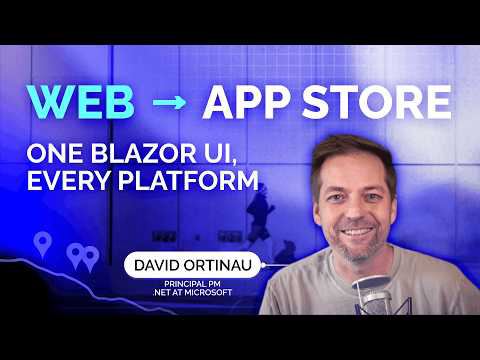
transcript
[music] But we're going to talk today about Net Maui and Blazer. I am David Ortnau. I am a principal product manager on the net team. Uh I started uh at Microsoft almost 10 years ago working with Zamron and uh before that I had like 20 years of industry experience uh a lot of web development. So [clears throat] uh I've written probably as much JavaScript as I have.NET. Um and it's fine. It's fine. I survived. It's it's all good. Um, but I do love .NET and I'm a huge advocate for what we bring to the ecosystem and to you as developers. So, uh, I'm excited to kind of share with you what you can do today if you're brand new to this. Um, but then also show you where we're taking the platform in the future, uh, for all of.net. All right, so let's get into these slides. Boop. So, uh, let's start off with a little level set scenario. So maybe this is you and you're thinking, well, if I just build a website, right? If I just build a website that's going to get to everybody everywhere, but h maybe I need it to be offline. Well, SPA can kind of do some offline stuff. Um, but but maybe I need GPS or secure storage or uh I need the accelerometer or some other Bluetooth integration. And suddenly uh things start to really kind of snowball from there. And then you're thinking, well, the big deal CEO is telling me they want this thing in the Google Play Store, in the Apple App Store, in the Windows Store. So, how am I going to do all of those sorts of things? And the good news is is you shouldn't have to choose, right? Uh, with Blazer, you get the full reach. You can go everywhere that you have a browser. Um, and then Maui gives you the full depth of going to the in into the platform [clears throat] to to get all of those native services uh that the native application developers get. And so it's native everywhere, right? Like when you're in the browser, you're getting a full native browser experience. When you're on Android and iOS and Windows and Mac and Linux, etc., etc. Um, then you are getting access to all the native things you need there as well. Um, and uh, I'm not probably going to get into this, but just to kind of plant the seeds, you can actually mix and match native UI between the the hybrid uh, the web stuff and the the native stuff as well. So, hybrid gives you both. You don't have to choose. Uh, and of course, I had to call this out uh, because when as soon as I saw this picture, I was like, I had that hairstyle. That was that was me back in the day. And that was my personalized emoji. I feel like they made that emoji just for me from Skype. All right. So, what is Blazer Hybrid? So, this is your Razer components uh hosted in a Blazer web view. So, it's a customized web view uh embedding web view and embedding hybrid uh in native applications. Been around forever. You know, we didn't invent this. Um, but what we did that I think makes this a step above uh other hybrid scenarios is that it's .NET code, right? Your Razer, your your Blazer code compiles to .NET and so it's all going to run in that same net manage process. Um, so right there in your Razer template, you could be uh calling into the GPS or calling into the local storage or even reading from the the native tree uh to get UI elements and positions and coordinates and and whatever else you might need to do. Um, so it's it's it's a step above from that standpoint. Now, you are not uh in this case, there's no web server uh there's not a web server running in on the on the device either. um these things are all being rendered from the net process into the the web view. Um and so no web assets are being loaded at runtime. Now you could uh you certainly can do some lazy loading of assets and things like that. Um but that's not not a requirement. So there's you know big picture there's no web server involved here. And then Maui of course gives you access to all the native uh UI. Now, in full full transparency, uh Copilot and Claude both helped me with this uh slideshow. It does not have a lot of the stereotypical slideshow uh telltales of AI, except that I ended up with all of these really um unexpected images photography, which may have come from the brand template, but when I looked at this one, I just couldn't resist uh that he [clears throat] comes up with a he he's googling on his phone, obviously. Are you a Blazer web view? because you're already embedded in my heart. [laughter] All right. Uh with Blazer, you of course are building your UI once and that's really a significant advantage. So we we've learned this uh a long time back in the Zamron space and now the net Maui space um that when you're doing cross-platform development, you're going to build something that's going to appear on Apple devices, Android devices, in the browser, etc. etc. Um, most customers do want a strong level of consistency in the behavior and the UI brand experience across those platforms. And in some cases, they want pixel perfect. It needs to look exactly the same everywhere. You know, Zamron goes back 15 uh plus years, I think, at this point. And so, you it was there from like iOS 2, which wasn't even called iOS 2 at the time. um it was it's been there for forever, right? And so things back then looked quite different than they did now than they do today. Um iOS had a very different uh UI approach than Android did um than did what you were doing in the browser. And so, um, it made sense at that time to build your UI multiple times for each of those user experiences so that people, uh, felt like it belonged on their device. Um, and they understood the metaphors because we were also teaching people how to use touch devices back then. Feel like I'm giving a history lesson. Many of you probably lived through this. Um but you know there was a whole effort for for several early years of touch devices where you were teaching people gestures. We were teaching our parents no no you can pinch pinch to zoom pinch to zoom mom pinch to zoom. Um and all those sorts of things. Uh but as time went on we saw a lot of uh a lot more consistency and similarity in the user experiences amongst all the platforms. And so at that point um and this is kind of coinciding in like 99 2000 when React Native and Flutter kind of gained strong ascendancy uh and and captured a lot of the market that it was that pixel perfect same consistent UI across all the platforms. Um, so you can certainly achieve that with Maui using the native stack, but really the the best way today uh to do that with the least amount of effort and the best results is using Blazer. So you get that wonderful uh CSS styled UI experience that can adapt really well to whether it's running in the mobile or running in the web. Um and uh and yet you get you know all the other platforms as well. Now AI again did this [clears throat] slide and I was like well that it's not really a continuum. Um and notice that we have Mac OS and Linux on this. Linux is actually in the mix now these days as well. So if you are a developer who's like yes but where's Linux but where's Linux? You can you can have it. It's all there for you. But I feel like it looks a lot more like this, right? >> [clears throat] >> net is the hub and this is the stack that really unifies all of this stuff and that's why we love being net developers is because we can really master kind of gain strong control over the language that we're working with the APIs that we're accustomed to working with the full broad ecosystem of Nougat packages and open source libraries and and open source projects community etc etc um and then we can attack uh attack then we can attach to all of these different platforms. And so when uh when our bosses come to us, when our customers come to us and say we need to be where our users are, we can say well where are the users because net can get me there. Um and I I'm not even representing on this slide embedded systems which you know typically they end up running uh some form of Linux or Android which is also Linux. Um but that's that's in the mix as well. Um so you are in the right place. If if this is uh resonating with you um then then we see eye to eye. So [clears throat] from a technical standpoint, let's talk a little bit about uh how Blazer comes together and then we're going to get into some demos and some feature things and of course a little bit of AI. I saw that we had a session uh just before this. Adam was talking about Aspire things. I've got a little bit of Aspire here as well. Um and then later today there's a session uh where Luis is going to bring us uh all the information about using uh Microsoft extensions AI to do Foundry and other things. [snorts] Um I haven't seen his presentation but I'm imagining it's going to be amazing. So uh at the bottom of this stack of course across the bottom of the slides here I can actually like well I guess I can point with that but I could use like the laser pointer. Look at this fancy. All right. So, uh we've got our platforms. Uh I'm listing the ones that are primarily supported in the Maui uh product. However, you could over here say Linux. You could say even WPF, even Windforms. Uh I did see that this is a thing that can be done. Do you want it to happen? I don't know. But maybe of course today you already have the ability to do Blazer inside of a Windforms app using the Blazer web view, right? So, um, it's also a wonderful modernization opportunity for a lot of customers who say, I've got this really old, you know, long lived, super important WindForms application. How do I modernize? Well, you can you can use Blazer as kind of the way to bring it forward. Uh, of course, in order to run on all of them with .NET, we need to have our runtimes and libraries, the base class libraries. [clears throat] And we'll talk a bit more about what our runtime uh strategy is now int 11 and moving forward because it's evolving and changing. And then on top of that we have WinUI3. Uh you know we just kind of go right into Win UI3. You don't need a net binding. There's no invoking into anything else. Uh the um all the C C++ etc is um oh what is the the word? There's there's a technical word for it. You can tell I'm a product manager because I have to reach for the the technical uh words projection. There's a projection uh tonet that you use for all that sort of thing. Uh but in order to get Android, iOS, Mac, uh uh Linux for example that we need to actually create a binding to them so that we can invoke uh all the native methods from net and then create a nice API that is net friendly for us to use them. So that's what these SDKs are and that's really where the bulk of the work we do uh is in the platform to to enable net developers to do all these things across Apple and Google ecosystems. Uh it's the same stuff that UNO uh works a top uh same thing that abalonia is working on uh and then abalonia also has their mono runtime uh they've got work uh across Skia and things like that. Uno is also using Skia Sharp. Um, so you know, if if all the things I'm going to describe to you today don't quite meet your needs, you absolutely should be looking uh to Avalonia and to Uno and see if they don't match up uh a little bit better with your requirements. Um, and then of course we have the Maui uh device abstraction layer. And so this layer here um is where we have a button, an entry field, an editor uh control, a calendar control, or we don't really have calendars, we have date pickers and time pickers, sliders, uh switches, um checkboxes, uh all the things, right? And so the one thing we didn't really uh ship in the box, we do have a web view in the box. Um but uh we did not ship a specific blazerized uh version of the web view. And so that actually sits outside of the Maui uh toolkit. Um but it is a simple add into any net Maui application. uh you bring in the Nougat package uh in your host builder, you do a add blazer web view and then that web view is now available to you. And I'll look at we'll show you some code here in just a second. And this is what gives you the ability to now share all your .NET Razer components. Of course, any of your class libraries that were already, you know, UI agnostic, uh those could all have already been used anyway, but when it comes to the UI bits, we want that Razer class library. All right. Now I can't click because I'm on the thingy, but I can do that. So one of the things we shipped, I think we shipped this in net 9 um is we shipped a Maui Blazer web template. So you can do this from the command line using net new Maui Blazer web um or you can do this in Visual Studio from the file new menu. Uh and then of course you get the project templates right there. But the way that this is structured is you get a web application which is the head. We would I would call this a head project for uh your web app. And this is what's going to build the web specific bit that goes to the server and serves up your your Razer templates. You're going to have a Maui Blazer hybrid. I I called this Maui Blazer hybrid. That's why it's named that. Um but you're going to get a Maui app. Now the Maui app uh has multiple platforms that it supports. It's a multi-targeted project uh the first of its kind that we ever did from Microsoft and shipped and so it required a lot of work in the uh project system uh to make that thing uh awesome and it's super nice because it really addresses a lot of the major pain points that developers had around managing assets because Android has requirements for assets that are different from the way iOS does it as you can imagine. Google and Apple don't agree on much and uh we're over here trying to be I don't know what is it Switzerland. Hey, can we just all get along and so Maui makes it all get along with a single project. Then we have our Razer class library down here and this is where all the shared UI can live. Uh and really it's the thing that makes this uh all work out so nice and seamlessly. And so we can continue to have our wonderful web experience. It's our Blazer web app, but then we can also start sharing all of it or just parts of it into our Net Maui app, which may run on one or more native platforms. All right. So, I'm going to exit from here by hitting the escape key. Poof. And uh I actually have this here. Let me do this presentation mode. Make that uh much bigger. And I'll close a few things here. Let's look at this project structure. So it's what I just described. I've got the web application. Inside the web application, uh it's what you would normally expect. It's going to have your program CS that's going to do your host builder that you would normally have. Uh you know, this is a a brand new project, so it's very basic. Um and then you have your shared project, which is going to have all of your pages. is it has your WW root um all the razor that you know and love and uh the red squiggles that you even know and love. I don't know why I'm getting red squiggles. Probably because I'm in the middle of debugging a Maui app perhaps. Um but you're all probably very familiar with that. Uh and that's where the majority of your your work is going to go or if you're like me, it's where the majority of your GitHub co-pilot agent is going to do the work. Um and then here in the Maui project um this is where we have uh firstly I'll show you the platforms folder. Anything that is native Android stuff can go in here. Um if it's going to be shared and it's not Android specific you don't need to put it in there. Um but this is where you have uh and you would see these things actually if you ever did a Java or Cotlinbased Android application you would see very similar things. You'd have a main activity which is the primary window that gets drawn for the application. Um and then you would have an application class which kind of instantiates everything. And we of course uh create Maui versions of it. Don't need to go deep into that stuff. But you also have resources uh if you end up doing and this is kind of a nice thing. U if you go looking I don't know does anybody do this anymore? Uh Stack Overflow I know Stack Overflow is still a thing. Um but if you're one that still goes and you know you're a copy paster um which you know no no shame there done done lots of that you go find some some uh solution that is specific to Java or Cotlin from an Android standpoint and you're like oh but you know I'm using net I can't do that oh contr this is native so you can absolutely do that so if you've got drawables or you've got XML styles uh that you need to bring over from uh a non.net Android project. All that stuff totally works here. Um because again it is actually using the native Android tool chain under the hood. So this is you know somewhat things that I wanted to point out as well because uh these are things that as a net Maui developer you need to have some awareness of at least to know that it's there so that you know the right questions to ask co-pilot um when you're trying to figure something out. Um, and they're things that you just might not think about so much as a web developer these days. However, I mentioned that I had like 20 plus of industry experience before coming to Microsoft 10 years ago. I absolutely lived through a lot of different browsers. Um, I remember one of the projects I had, I was like uh responsible for making cores work. I had done this thing on IE6 that needed to also work in modern browsers and uh it was this whole JavaScript Flash bridge type crazy thing. [sighs and gasps] It it was months months of my life spent working on that. Um, so you had to be really really familiar back in the day, maybe a little bit today about vendor specific things in the browser space. Kind of you can kind of, you know, think this is a kind of like that. They all kind of do a lot of things similar, but they also have their own idiosyncrasies that you need to be aware of. So iOS has an app delegate. They've got P lists where you can kind of enable and disable permissions and things like that. Um, Catalyst is almost identical to iOS as you can imagine. Um, if you're not familiar with what Mac Catalyst is, uh, it is essentially taking UI kit, which are the UI elements of an iOS app, and upleveling them to run as a desktop application on Mac OS. So, you get very consistent UI experience, but it's kind of a little bit more nerfed or sandboxed uh, on the desktop. Um, if you want to go full full full native Mac desktop, then Mac OS AppKit is the is the way to go. And you can actually do that today as well um with .NET Maui. It's not one that we ship in the box. It's in Maui Labs, which I will show you. And of course, we have WinUI, which I heard WUI dropped the three. We're not calling it by its number anymore. So, that makes it a bit easier, right? Um, all right. So, that's the platforms folder. Now, the the entry point, kind of the the starting point for a Maui project is going to be Maui program because this is where you're going to come in. Uh you create your builder. You can configure some things like your fonts. App is is the is the window. That's kind of the uh where the UI gets instantiated and your app really kind of starts off from a Blazer web view standpoint. This is the thing I called out before. uh by [clears throat] adding the nougat. Now we need to actually oops instantiate the blazer web view and not only the web view but of course we're doing uh debugging and we want to be able to inspect and use all the same dev tools that we are accustomed to using and so we can enable the blazer web view developer tools there as well and then we get the um what is it the chrome developer tools cdt right? Yeah, something like that. Um, that we can use to inspect and change things, etc. So, Maui program very straightforward. If you're going to do any DI stuff, uh, dependency injection, you're going to do any inversion control, uh, if you're going to do any specific navigation things, you can wire all that stuff up here. So, let's now look at that app that we mentioned. So, application, not really much to see there. This is going to, as I said, create your window. Your window then is going to load up something as the root element. That root element here is going to be a main page. Main page is going to be of type whatever that native platform requires. Um and so if we go look at main page uh initialize component of course because it's ZAML. Um and you don't have to have any ZAML in your application. Actually I'll show you another application here in a few minutes that there's there's no ZAML in it whatsoever. It's just all C and Razer. Um, but the the magic here is that we are going to do Blazer web view. So, I've actually already got this application up and running on Android. And so, it is uh the Blazer app that you have come to know and love. Uh, it is the the basic weather. Give me some weather. I think this is all like it's not real weather, right? can't be. Um I think it's all fake data, which would make sense. Um but it's all it's all that sort of thing. Now, um I actually did this. I want to see if this actually works. Nothing nothing like doing some live stuff. Oh, it totally did. So, uh what I did was I changed the safe area edges to none. And you see that it brought the Blazer hybrid up underneath the status bar. So this is something that Android did uh in their I think their most recent major version of Android 36. Um but they kind of adopted uh the safe area edges API sort of that Apple has had for a long time. So Apple introduced the notch uh as soon as they introduced the notch and then eventually the what is it a dynamic island or something like that. you now as a developer needed a way to say look uh I need like some background stuff to go back there but I don't need my I don't want my UI to go behind that thing and be obscured. Um so Android did the same thing. Android's approach however was a little bit more scorched earth and unfriendly. Um they basically said by default every app is edgetoedge and so uh suddenly by default everybody's UI just got sucked to the edges of the screen. And as you can imagine, now obscured behind, you can't really see it very well, but there's a little camera hole at the top uh center of the SC of the uh device. Uh there's status bar stuff there as well. So, in order to accommodate that, we expanded our uh .NET Maui native APIs to deal with safe areas. Um and so I say yes, I want you to obey all the safe area edges. And so I'll save that. Actually, the save might have actually done it as well. Yeah, saved it. So, you see it refreshes the UI. Um, and now we are behaving as we should by not obscuring those things. And and there are there's more that you can do to control this uh more options about how it behaves when you have an on-screen keyboard versus not having an on-screen keyboard and things like that. But this is an example of something that uh is is a Mauiism. it's a native appism uh that your web browser app uh would need to write a bunch of maybe not a bunch but would need to write some CSS some viewport awareness things some JavaScript to deal with um and it's something that is just this easy in a net maui application all right let's go back to slides and I want to then uh show you another application so do I need to reshare I need to reshare share. Boop. Cool. [gasps] So, I want to introduce you to Sentin Studio. Sentence Studio is my little baby app. Um, it is something that I have been building and I have probably replatformed this thing across techstack frameworks three or four times. Um, [clears throat] every good product uh manager needs to have an application that they just go deep on and uh they kind of really get that enterprise developer experience where yeah I I touch a lot of the same problems and complexities that my customers uh also experience and so now I can I can better understand and relate to them. So this is a language learning app. Uh my language of uh that I've targeted to learn is Korean. And uh this app actually supports and it's open source and you could totally grab it, use it. Um it supports any language that you want to target. Um but essentially I have the ability now in this latest iteration to run it in the browser, on the desktop and on mobile. I primarily use it on mobile. Um, but now that I have a web version of it, I use it there. It started out as a ZAMLbased Zamron application. Um, and then when I moved to Net Maui, I turned it into a pure C application in Net Maui. Um, and then I feel like there was another step. Oh, yeah. And then I took it from pure C in net Maui to an MVU model view update pattern in net Maui using a a wonderful framework called Maui Reactor. Maui Reactor has been around for years. We we have had a G guest blog about it on the net blog. If kind of the Flutter Swift UI style of writing applications is something that is super appealing to you and you're looking for a wonderful uh uh library to help you with that, highly recommend Maui Reactor and and just a another quick plug in my benchmarks, it actually renders and runs and starts faster than than any other way of building a Net Maui application. um other than just rewriting your UI n number of times. So big plug there. And then of course what we're looking at here is we're looking at uh we're looking at a Blazer hybrid application. Um and I was highly motivated to do this for a couple of reasons. One was that uh I wanted something that all the cool kids were doing. Beth Massie kept telling me how amazing the Blazer hybrid stuff was. The Maui engineering team kept telling me how amazing it was. The uh you developers in the community kept answering surveys and saying we love this. You know, we've got we've got roughly 25ish% sometimes around 30% of the entire Maui uh community that use Blazer Hybrid. and you are the happiest, the nicest, the best looking of all the developers that answer our surveys. Um, and so that stands out to me. Uh, you've always said you are the happiest using .NET Maui amongst all the developers. Um, and so I finally caved. I caved. I gave in and, uh, and I built this wonderful application. And I, I love it so much. Uh, it's hard for me to rationalize choosing anything else. Now something that I also wanted to get into is Aspire. So something that this application does uh is it uses Foundry and I'd been using Foundry since the early part. Uh actually I used OpenAI APIs before Foundry was really a thing. Um because uh I am basically letting AI teach me a lot of these things. Um it's it's it's doing translation for me. It's doing uh data ingestion with me. Um, it's also sourcing uh samples for me. I give it a bunch of vocabulary and I say, "Give me some sentences for me to kind of do work on." Uh, whether that's translation work or closures or a bunch of other games that I can play. Um, and so AI is a big part of this application, but I baked it all into the app, which meant that all of my secrets were in the app. And uh you probably just cringed when I said my secrets were in the app, didn't you? Um because if I ever were to ship that to the Google Play Store, to the Apple store, to anywhere, uh all of my secrets would be out in the wild and then everybody can come and spend my money and that was that would not be cool. And so uh by lifting everything into the cloud and getting Aspire orchestration, uh and putting uh authentication with ASP.NET net identity into this uh mix. I was able to actually solve a lot of that. And you can see from the uh the file yeah solution explorer, not really a solution explorer. You can see from the VS code explorer, there's a lot of stuff going on now in this application. And so I went from basically having one project which was my multi-targeted uh uh sentence studio uh native application to something that now just you know kind of exploded into a bunch of projects but it's fine. The Aspire really really helps to kind of moderate uh and manage that complexity for me. And so I thought that this graph was kind of an interesting way to see just the sprawl of things that this uh application needs to now manage. Um and I also have a marketing website in there which is completely AI generated. Makes it look cool. Um I don't know how truthful it is because it's all AI generated but there you go. It was fun to do. I again it's my project. It's fun. Um, and I was inspired to do this, and we'll take a look at both of these applications running here as soon as I'm done with this story. Um, but I was inspired to do this because of Poly Pilot. So, let me tell you about Poly Pilot. Um, this is an application that the Net Maui core engineering team made themselves. Uh, and yeah, they didn't they didn't write a line of the code. This was all completely vibe coded. Uh and essentially what it is if you've used the GitHub copilot app um then then you've you've basically experienced this application because uh it does a lot of that uh and more because there were really no concerns or restrictions. It was a small group of engineers on the Maui team so they weren't really concerned about shipping this to consumers. Um you could uh it uses GitHub Copilot uh SDK under the hood. Um, it spins up and attaches to any C-pilot CLI session that your system is running. You can actually also steer and control sessions running on other machines on your network. You can control your sessions from any mobile device uh or web device by using either dev tunnels or if you're on the same network, you can just have a direct connection to it. Um, and so ran across desktop and mobile. Never was a web version for this. Um, the the web version you see here is the kind of the marketing uhish website, but if you searched for poly pilot.net Maui team, I'm sure you can find a bunch of information about it there. But the other super super cool thing about this was is that they uh built into it this little support button here. And maybe I should um bring up Poly Pilot and show you show that to you live. So Poly Pilot, I think that one will run and not crash, right? Oh, can't open it. But we can just do this. We have the power and we've got lots of time, too. So, this is cool. All right. So, Poly Pilot's right here. Um, so I'm going to use a relaunch script. And the relaunch script is key because what this is going to do is it's going to go and build the application, make sure that the application can run, and then open it for me. And the reason that that's super important is because as I'm using the application, it will actually let me iterate over the application using it the application itself and it will replace itself while I'm using it. So it's coming. Here it comes. And while that's happening, why don't I minimize this beach ball? It's working hard. It knows that I'm live streaming. So, all right. So, probably don't need this anymore. Get that off the screen. Okay. So, uh yeah, like I said, I've got all my sessions over here. I can do all the things, but I can also come into settings and I can say how do I want it to run? Is this an embedded session? Is it persistent? Um, do I want to create a dev tunnel so that I can connect to it? I can create a fiesta worker. So, fiesta, we're going to have a party. It's like a land party. Uh, so I could have multiple machines all around my network all running this sort of thing. But this down here is kind of what I wanted to call attention to. uh is that I could report a bug or fix a feature and it will actually go off and fix that thing and then I can have it reload the application for me while I'm using it. So I'm using the application to fix and iterate over and build new features into the application while while I'm using it's like an inception moment. It's crazy. So absolutely love this and they didn't write a line of it. It's a Blazer hybrid app. Looks gorgeous. runs great on my phone. Um, and so I was like, "Yo, that's amazing. I need to do this, too." Um, and so I did. And that's where we get boop. Move that off screen and reveal. So this is sentence studio. Um, what is this? Oh, that's Sherpa. We'll get to Sherpa in a second. Um, so this is uh sentence studio. Uh, one of the things that was super attractive to me is that of course, uh, it's got Bootstrap by default, right? So, I can come in here and I can say, you know what, I'm going to go dark mode and I'm going to have all these different themes that I can choose from. [sighs and gasps] It's just like this would be so this would actually be kind of a pain in the butt uh, with native, but it's it's basically like part and parcel. This is just the way you do things uh with Oh, I see that I actually have a comments. Oh, nice. Are you using small language models and running locally instead of LLMs? Rod asks. Um actually in this case I am using um sort of uh I am using Apple intelligence on Apple platforms for some features. Um and so that is kind of a not cloud-based thing, right? It's baked into Apple's operating system. However, uh the time to first token, time to final token, not great. Cloud is still faster. Um maybe that's going to change now that Apple is like switching to Gemini and things. So, we'll see. Um we actually have all of this stuff in Maui Labs. You can use all the on onboard uh Apple Intelligence, Google Gemini as it's coming. Windows uh ships with fi silica I think on demand. Um and so we have a library that does Microsoft extensions AI for all of that stuff. For doing ondevice stuff you would of course probably want to do something like onyx uh on nnx and uh kodrina um I don't remember kodrina's last name apologies krina um but you she has a fantastic book that she just shipped right now uh that talks all about how to do that sort of thing. Train your own models etc. Um, so that's a I would highly recommend that. Um, all things that Rod Silva probably already knows, but now we have elucidated. Is that the right word? We we we now all share that knowledge. All right. So, I uh I built this app. Uh, again, Blazer Hybrid. Um, I've got all these different activities that I can do with it. I can come in here. Do I actually have a URL in here? URL http Oh, did I not? No, I had a picture in here. I was going to show you the picture. All right, skip that. Um, let's go back. So, I've got a learning resource. What is a learning resource? A learning resource is essentially any kind of video content that I want to bring in. Um, this happens to be a little short clip from Justin Yu who works on the CL I think we call them the cloud advocate team. We used to call them the cloud advocate team. I don't know what they are today. Um, but he did this uh build local video and I was like, "Hey, it's in Korean. I'm totally going to learn that." And so I can bring that in and now I can essentially say, "Okay, well let's do a bop a vocab quiz." And so it brings up the vocab. Yeah, you can't hear it through the through the thing. Um, but I've got audio playing as well. And then I can say, okay, what is this word? Well, this is a conglish word for code. C code. And so it's just he's talking about code. Um, and I can do all of this stuff. And as I'm doing it, it is actually building up a history of all of the words and telling me, am I learning this word? Am I knowing this word, etc. And all this is actually backed by AI. Um, and so with Aspire, let me see if I've got Did I get my Aspire up and running? Here it is. So, I've got Aspire running. It's asking me to start a dev tunnel with all this stuff. Uh, I've got my my primary web app. Um, which this is not actually the web app, right? This is a native application. And so I could load up the web app as well from the local host. And this is actually logged into a different account. So this is logged into this is logged into David. And this one is logged into Jane from Firefly, which funny enough, Firefly, if you've ever watched, you know that Jane is a guy. Um, but Copilot can't figure that out. Fun fact. Um, so here I actually have a lot more content. I've got like 3 thou. Let me see here. 3,000. Oh, no. No, this one's this one's lower. 400. Um, okay. So, don't need to go deeper into the uh the demo here, but suffice it to say, runs on all the platforms, looks great. I didn't have to do a ton of styling work because it's all bootstrapped. Um, I can bring my own styling into it. All the things that you love from being able to do Blazer that just is awesome out of the box. Plus, now I have native stuff like for example being able to have uh native menus uh on my on my uh what do we call that thing? A system bar. Yeah. So, native menus. Couldn't do that from the browser that I'm aware of. Maybe you can. Um, but now I can do that here. I can also do things like uh let's look at something else that is more um well you can do file browsing too. Ah trying to say some things off the fly and that's probably not a good idea. Okay, let's continue on. Let's get into some cool bits. Uh so let's talk a little bit about what's coming in net 11 and uh I will uh also feature for you some of the cool AI things that you could be using today that are uh I think token efficient but uh highly recommend them for you. So, first first things first, .NET 11, it's core CLR everywhere, folks, for everything except for WOM. Sorry. Uh, WOM is in is in in the works. It's just not expected to to land uh by the time Net 11 ships G. It's coming. But this means that Mono uh is no longer going to be a supported runtime from Net 11 on uh today. And as of today, uh the current release of preview 11 uh oft net 11 is preview 5. You do have the ability to opt out of core and go back to mono. But why would you want to? Because with core, you get better uh error messages, you get better debugging experience mostly. Uh Android or no iOS is still yet to come in. Yeah. In terms of uh debugging. So some of the tooling things are evolving and and growing as we proceed through the net 11 previews and we've got several previews yet to go. Um [clears throat] you get in most cases faster runtime in most cases you get smaller app sizes and those cases where that is not yet true we are absolutely working on those things. Uh corr is the runtime that we have all loved and depended upon on the desktop on the server for for forever right. Um so it makes sense that we want to consolidate on the best. Um and so mono uh served a a purpose for a very long time very very well. Um but now we're at the point where we can bring the runtimes together and by having uh core CLR you also are on the path to getting native AOT. Uh if you've ever experienced native AOT, you know that this is absolutely the best of breed in terms of app size, performance, etc. which is never more meaningful than when you are running on a resource constraint device like a mobile phone. Um so if that is where you want to be and you want to get the absolute best, you want to be on Corsular and you want to work towards getting on native AOT. and she is so excited, she being the woman in this picture, that I had to put a thought in her head. It's happening. We're all very excited. Um, we are also bringing net watch everywhere. And so this today works really, really well for Android. Um, the same net watch that I think you have, you being the broader Blazer community have had access to for quite a while. It's new to us in the Maui space. Um, and so being able to get net watch everywhere is awesome. Not only that, but hot reload as a whole is being rewritten to use exactly the same pipeline across everything. So whether you're doing Razer, C, CSS, uh, ZAML, ZAML now of course uses source generation. So it's all on the C train as well moving forward. Uh so one pipeline, one set of things to maintain and manage as as you can imagine with me. Uh that means it's one set of bugs to fix, not five sets of bugs. Um so look forward to improved experiences across all of that int net 11. Uh if that's not enough, uh I don't know what is going to bring you to using net 11 uh previews. We're at preview five. We've only got like six, seven, and then RC1, RC2, I think. I mean, there might be some other like interim RC's, but we're getting close. So, I think now is a really, really good time for you to adopt uh adopt the previews and check them out. As a product manager, please, please, please use them because we want to know how your app looks now, uh not later. So um another tool that is essential in everybody's agentic workflow is devow. So we ship this as Maui Devflow. It ships as part of the Maui CLI and the Maui CLI is available from Maui Labs. Um and what this tool does, you see us talking about uh CLI things a lot perhaps. Um, I certainly am using CLI more than ever. And the reason is is because co-pilot, Claude, all the agents, what do they like to work with? What's a first class citizen for them? Command line interface, right? And so it totally makes sense that that is where we need to bring more power, more visibility, more features so that our uh agents can be more effective at doing things. It's also more token efficient. So that's super important. So from CLI, DevFlow can build, it can run, it can see all your devices. It can actually do things like uh with the Maui CLI, manage your Android SDKs, manage your iOS installs, all these all these things. You get visual tree inspection. You get on demand screenshots. Uh it's not really even for you. Although it is nice to be able to walk back up to a session after maybe an overnight or maybe after like 30 minutes and the CLI or or your co-pilot says, "Hey, I'm done. I did the thing you said. It looks great." And you're like, "Picks where it didn't happen." Um, and it can actually show you a screenshot of what happened. Um, and if you have a good skill that can do good screenshot comparisons and analysis, uh, without you being there, that's even better. Uh, so you get better results while you're away because you've now given eyes to your agentic workflow. Uh, you get the Chrome developer tools to bridge the web views so that it can actually do all of those things. Uh, it can also do everything on the native applications. It can scroll, it can tap, it can zoom, it can uh inspect the tree, it can all the things. You also get your MCP experience. Aspire has a wonderful MCP experience. I imagine maybe in the last hour you heard about that. You can also do things like profiling and network capturing of frames and what's going across the wire. You can read all the logs and I say you you DevFlow, you've now given all that power to your co-pilot agent or your cloud agent. And then we have drivers to do this across all the platforms. So it's it's super super powerful. Oh yeah, and by the way, uh down there at the bottom, I included all the TLAs, the three letter acronyms. Um because I couldn't remember what GDK stood for. That's the UI toolkit that uh we have a binding for on Linux. Abalonia is also working on uh their implementation for Maui that runs on Linux as well, but it's the toolkit. Unless somebody corrects me. That's that's what I think it is. All [snorts] right. So, a little bit more about how Maui Devlow does this. Um, essentially, you're going to have your tools, the thing you're using, and it works from Visual Studio, works from VS Code, you're primarily going to be doing this from the chat UI. Um if you are like me and you're doing a lot of things from the CLI or from um u GitHub's new copilot app or you're using um claude code or you know there's a bunch of others right um then you can do it from there as well. Essentially, we have skills. Those skills uh you know sit in your global skills space or in your project skills space and those tell the the agent um how to use DevFlow and for what scenarios. You want to make sure it's super high in your instructions or in your agents MD because you don't want it to skip over these things. If you have things like Playright or Appium in your workflows, you may want to tell it for hybrid, hey, I know you've got those things, but use them as a fallback. Prefer to use DevFlow because you're going to get a better experience. It's faster. It's purposebuilt for these scenarios. Um, and then it's going to talk to the apps across the broker. Broker is a service running on your machine. It's keeping track of what uh agents are alive. Uh and so we call them agents in the application. Essentially a nougat in your app that spins up, you know, a little server in the app that's listening. Uh similar to how we used to do hot reload in the past, we used to do things like leave live preview in the past. Um and that's just on the on the app side. Now Sherpa, this is for all of us visual learners in the crowd. Uh it is a tool that is not just for dev flow does a whole lot more but we can actually see what's happening inside of our applications and we can interact with it and we can read our performance profiles and stuff too. So let me see now is a good time. Yeah now is a good time. Well let's do this one more slide and then I will step out and uh show you some some live demoy type things. Um so Sherpa I've mentioned several times it is a desktop application runs on Mac, Windows and Linux. Um it is there essentially to be a utility for you across all those platforms to do all the things that you as a cross-platform developer need to do. It's like your toolbox, right? Uh it is your Android SDKs. It is managing your Xcode installs. It is managing your emulators and your simulators and your devices. Oh, it's managing uh all the things. I will click through the menus and show you. It just does so much. And it is open source and it's a Blazer hybrid app. So, uh if you want to see realworld blazer hybrid pushing the extremes of what can be done from the net team, this is a fantastic one for you to look at. look at the sentence studio one if you want to see what a knucklehead like me does uh and some of the AI things. This has some AI in it too. Um but you wanna you want to go see what what our engineering teams are doing and building and using daily and shipping and you can totally you should be using this. Please you should be using this. It makes your life so much better. Um then this is a great one for you to go check out. As a matter of fact on a previous slide Yep. couple slides back this one. Yeah. So here at the bottom it's on reth uh/maui sherpa. Who is reth? Reth is Jonathan Dick. He is the lead engineer on the net Maui SDKs team um if we call that a team team used loosely air quotes team. He's on the net team. Um so you can download it from there. It has builds for all the major architectures that I just mentioned. And then all the CLI bits and the DevFlow bits are all in the net Maui labs repo. Um this is more of a labs as you would expect uh not fully supported but actively supported um meaning that we are using these things and we find them useful and interesting and if you use them too then uh we will totally take care of all that uh all of your all of your concerns. So, Sherpa, fantastic. Now is the time to go demo that, right? Yep. Looking at the slides. Cool. Let's do it. So, we had it open here a second ago. Let me bring it over. Okay. So, [clears throat] and actually since we still have that emulator open and we have that application open, we can we can bring all these things together in one glorious demo. Right. Got that. And then well, we'll save that. All right. So, uh dashboard uh immediately tells me what the latest features are. It's got release notes. If there is an update, it would have already told me that. and it tells me my connected to devices. So, I've got a Pixel 5. Oh, you can't really see it. My cord's a little thin. Um, got a Pixel 5 sitting down here, uh, that I've been doing a bunch of iteration on and testing with. Um, and so, uh, any of my agents can be working from that 24/7, uh, which for the past three days they were. [laughter] Um, and then, uh, I've got a simulator running here, an iOS 16 Pro simulator. Let me bring that on screen. Where did you go? There you are. And let me go ahead and open Barista Notes. Whoops. Oh, that app crashed. Ah, here we go. Um, so I've got this app which is a uh jetpack compose turned into a swift UI application uh written in comet which is a net project in the Maui labs. Um, so I'm using this as a testing ground to prove out swift UI things so that we could potentially bring some of those things to .NET Maui. Now I can I can actually go directly to these things. Oh, it's actually seeing my watch, too. That's funny. Um, so let's go ahead and connect here. And I can see all of my logs. So, uh, this is something that Oh, I have an update available. Let's Not right now. I feel like this is a Windows moment, isn't it? Where you get a Windows update in the middle of a presentation. John, we need a way to say I'm in the middle of a presentation. Don't Don't prompt me for this. Um, that's really funny. All right, so where did it go? it went behind. So this the log cat this is a tool that you know you would have had to have installed previously uh Android Studio or even Visual Studio. We used to bundle this in Visual Studio. It might still be in Visual Studio on Windows actually. Um again Blazer Hybrid folks this is Blazer Hybrid. Isn't that great? So cool. Um you got your shell. You can actually I actually used this to go find some screenshots that I had taken the other day on my Pixel 5. Um, which is great because the actual Android file transfer app, the official one, uh, is no longer supported on this version of Mac OS. So, I was like, well, forget you. John Dick built one for me. Oh, I've got like 10 minutes left. All right. Um, can do all kinds of other stuff in here. Now, um, I've mentioned several times I can manage my emulators. It's going to load them. and it's going to find them. And then I could also do things like creating new emulators. It's like, oh, I need a new one. It needs to be blah blah blah, whatever. Um, I can manage all of my SDKs. It'll go read my SDKs and tell me what what I have that's available, what's installed that needs an update. Um, with a nice UI, too. Key stores. Keys stores can be a pain in the butt because you need to be able to sign stuff, especially when you're going to publish. And so being able to manage key stores, which I have no key stores because I'm not publishing Android apps. Um, very very nice to have here. Push testing, if you're doing any kind of push notifications, typically something that was a pain in the butt. Um, now baked into Sherpa. Super easy to use. Again, all the things that you would need to do as a mobile crossplatform, desktop, hybrid, king, queen of all the things. It's all in here. It's fantastic. Um, Xcode management. There was a tool that many of us used for a long time called Xcodes. Still a great tool. Don't need it anymore because I can do all of my Xcodes right through here. You can see I already have like four different Xcodes installed. Uh, I can switch between them to make sure that I'm never blocked depending on what I'm using. Devices and simulators, all these things. Now, app inspector. Let's look at this one real quick. So, I think let me see. Okay, I don't have an agent running in this one because that is a common app. So, I didn't put the agent into that one. But I do have Poly Pilot going and I have Sentence Studio going. So, let me bring one of those back. So, if I connect to Poly Pilot, you can see Poly Pilot over here. Not as useful right now because uh it sees the Blazer web view and that's about it. This becomes a lot more powerful when you get into the native UI stack side of things, which actually Oh, where's my phone? Maybe if I bring my phone up. Will it do that? So, I've got Sentence Studio on my phone. Y'all don't mind trying something on the fly, do you? Did you see my phone? Oh, actually, I might need to connect it. Let's do that. This also might be a release build, so who knows? [sighs and gasps] Sentence Studio is probably going to be very similar. Yeah, it's the Blazer web view. Um, but the cool part is if we go back real quick, you can see that with the native application here. No, don't do that. No, don't do that. zoom. Uh you can see here in the uh in the screenshot that I actually have a lot more rich information coming from uh the native UI stack and I can actually manipulate it and edit it uh over here in the in the panel. So things that you would normally only have gotten from an IDE in the past now super easy to do here in Sherpa. So, Sherpa, absolutely something that you want to add to your Bailey wick, your toolbox. No, I don't want to do that. Um, was there anything else? Oh, couple other things to call attention to here in Sherpa before I leave this real quick. There is a doctor. So, if you're like, "Hey, I can't get my environment set up. It's such a pain in the butt. These Maui people, it's so difficult." Hit the doctor button. Dr. Button will walk you through fixing up all your things. It's got a friendly UI. Couldn't be easier. Really couldn't be easier. Then you can also, if you've got Copilot CLI running, you can connect that up here and you can actually utilize Copilot right from within Sherpa. Super cool. And because it's a native app, I can do things like this. I can go full screen. I can dock it. Filters. All these fun things. All right. Wrap up time. Let me go final couple of slides. Man, time has flown by. I'm having a lot of fun. All right. Blazer for the reach, Maui for the depth. You get all of it. It's super amazing. Couldn't be easier to get started. AI picked some really crummy iconography for this, but uh uh add add Maui workload. Uh if you're running on Windows, that's just right through Visual Studio. If you are a CLI uh guru and that's where you like to live, then it's a net workload install Maui gesture. Um if you have not yet seen Chat Husk's net up CLI presentation from build, which happened in the Ether world just a few weeks ago or a week ago, please do check that out. It makes managing your net version installs so much nicer um and still works with workloads as well. And then as simple as a net new Maui Blazer web if you want to be in full control of it and do all those sorts of things. And then you can add dev flow on top of that. Um my recommendation just go into your uh copilot CLI and tell it I want to make a new blazer hybrid web app to do all these things. uh you know I want it to run on Android and iOS uh and I want to use dev flow and make sure the dev flow takes precedence over all the other things and that's the way to go. Uh we always talk about the uh the five minutes to wow or how do you get to that aha moment the quickest. Uh it has never been easier than that combination of things right there. Um you want to continue doing it uh old school way. all these things still completely work. It's not old school. It's still it's still today's school. I don't mean to say that you're in any way behind. Um but once you've drank the Kool-Aid, I guess uh it's hard to go back. And uh some resources for you, a lot of the things that I just already mentioned, uh Sentence Studio is on my uh GitHub, which is David Ort now. Um so you can find Sentence Studio up there. Poke around at the code. Uh if you've got feedback for me, would love to hear it. Uh definitely using AI as well to do a lot of reviewing of things, helping to find the right architectures and things like that. Um you just kind of work at a different level with it when you're not necessarily in the code every single moment. Um but it is of course super important to know what the code does. Um you we've got the Maui Discord. Uh we've also got uh Maui verse. Oh, I should have put Maui verse on there. So if you just search for Mauiverse, uh you will find a wonderful community of developers that are ready, willing, and able to help you with anything Maui related, Blazer related. Um in that there's a discord for that as well. So hope you all will come check that out. >> [music]
- from
- Blazor
- added
- 2026-10-12
- likes
- 0
similar
-
New Blazor Hybrid + .NET MAUI Templates are Incredible youtube.com
June 28, 2024 - Looking to build mobile, desktop, and web apps all with nearly 100% shared web UI? New Blazor Hybrid templates in .NET 9 give you a single click automatically configured project with .NET MAUI, Blazor, and a razor class library all setup.
-
Clean Architecture with .NET MAUI, Blazor, and ASP.NET Core youtube.com
May 22, 2024 - We've heard a lot about how using .NET to build our UI applications lets us share code across our whole stack, but finding the best way to do this isn't straightforward. UI code and API code can sometimes seem at cross-purposes and it's not always obvious how…
-
ASP.NET Community Standup: Blazor Hybrid + Web in .NET 9 youtube.com
April 9, 2024 - Learn how improvements coming to .NET 9 will make it easier to integrate Blazor Web and Blazor Hybrid.
-
David Ortinau on .NET MAUI herdingcode.com
May 27, 2022 - Jon Galloway talks to David Ortinau about .NET MAUI. Duration: 41 minutes. YouTube video.
-
MAUI and Blazor with Beth Massi dotnetrocks.com
June 20, 2024 - What's up with MAUI and Blazor? Carl and Richard chat with Beth Massi about the latest MAUI, including the new webview available on GitHub that lets you embed an existing web page into your MAUI app. Beth talks about making apps the way you want to - with a…
-
Blazor in Action manning.com
An example-driven guide to building reusable UI components and web frontends—all with Blazor, C#, and .NET. (Manning Early Access Program began October 2020).


Blazor › Videos: “July 20, 2026 - Blazor Hybrid + .NET MAUI: build your UI once with Razor components and ship it to the browser, iOS, Android, Windows, and macOS – with full native API access from a single .NET codebase. David Ortinau, Principal Product Manager on the .NET team at Microsoft…”