KnockKnock
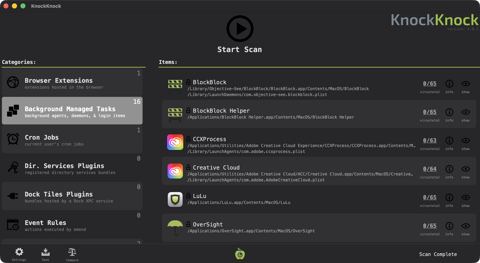
See what's persistently installed on your Mac.
- from
- Apps, Incident Response, Malware Persistence
- added
- 2026-10-10
- likes
- 0
similar
-
KnockKnock github.com
A persistence detection tool for macOS to scan for persistence mechanisms on macOS. Specific persistence locations are found in the plugins folder, e.g. LaunchItems or StartupScripts.
-
Knock knock.app
-
Suspicious Package mothersruin.com
An application for inspecting macOS installer packages.
-
MacPorts macports.org
Package manager for installing and maintaining open-source software.
-
MacTools github.com
Open-source menu bar toolkit with plugins for display controls, system toggles, cleanup, device status, and everyday utilities.
-
MacPass macpass.github.io
Open-source KeePass Mac OS client.

Apps › Security Tools: “See what's persistently installed on your Mac.”
Incident Response › IR Tools Collection > OSX Evidence Collection: “Displays persistent items(scripts, commands, binaries, etc.) that are set to execute automatically on OSX.”
Malware Persistence › Collection > macOS: “A tool to uncover persistently installed software in order to generically reveal such malware. See GitHub repository too for the source code.”